
For people living with chronic pain
A calm pain diary, with support for flare-ups
A pain entry takes a few seconds. Look back at your entries in the calendar whenever you like. When pain flares up, there’s always a free exercise you can try.
- Coming soon to App Store
- Coming soon to Google Play
You won’t need to sign up: install it and start.
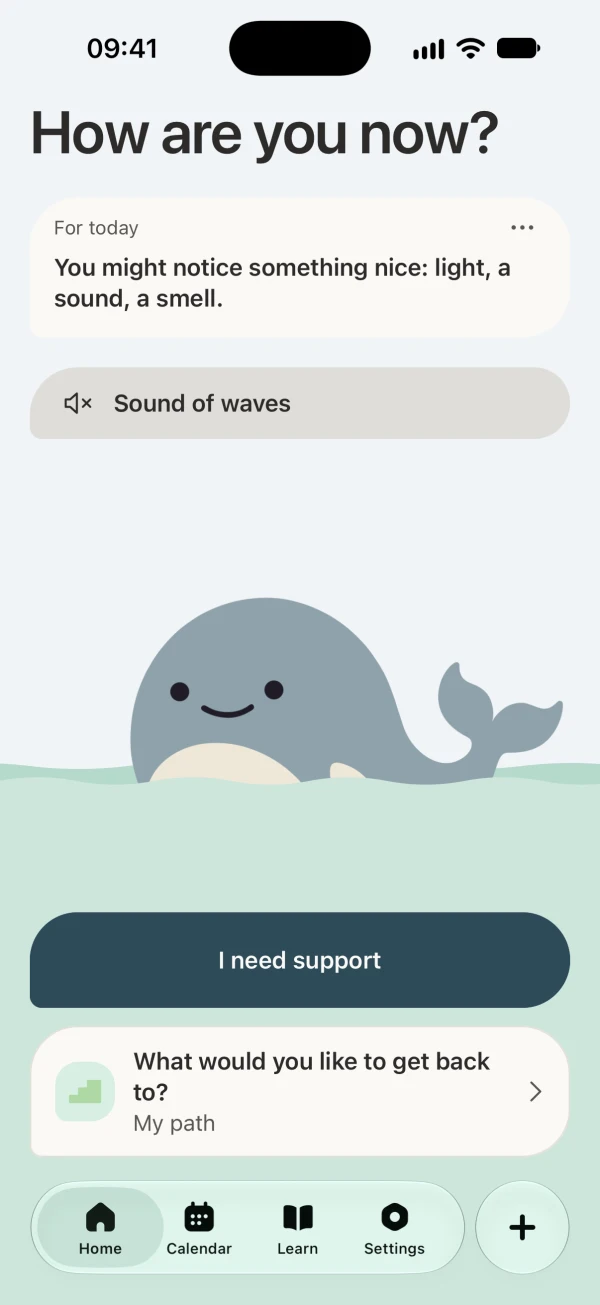
In a flare
An exercise to try when pain flares up
Tap “I need support” to start without filling anything in. You can stop at any point.
- Breathe in for 4 and out for 6, or pause and notice what you feel. Like the tide, it can shift.
- There’s one question per screen. The buttons are large so they’re easier to tap if your hands shake.
- The background is warm, there’s no red anywhere, and a gentle dark theme is there for days when light makes it worse.
In for 4, out for 6
Breathe gently, not deeply. If you feel dizzy, it hurts or you get anxious, just breathe as usual.
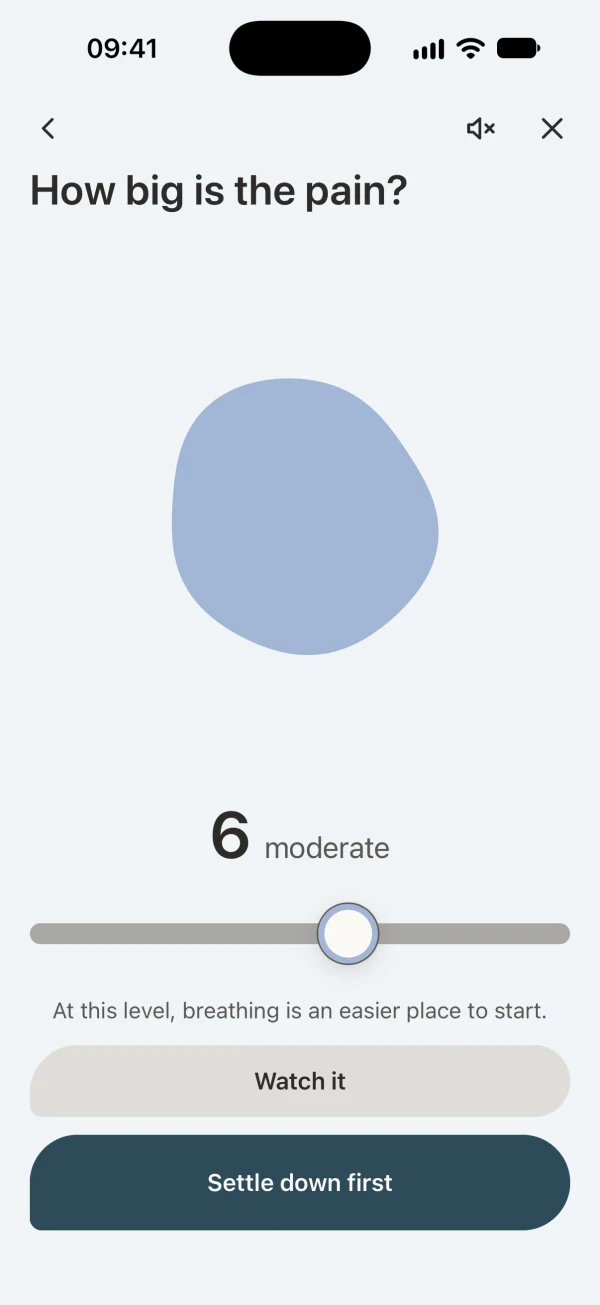
My path
Get back to what pain made you put off
Think of something pain has made harder, like going out for a walk. Start with a step that feels doable today. Take the next one at your own pace.
- Take any step when you feel ready, as many times as you like.
- Afterwards, note how it really was: easier than it seemed, about as expected, or harder.
- It often turns out easier than it seemed. Those steps gather under “What has worked out”.
If the pain is new or sharp, talk to a doctor first.
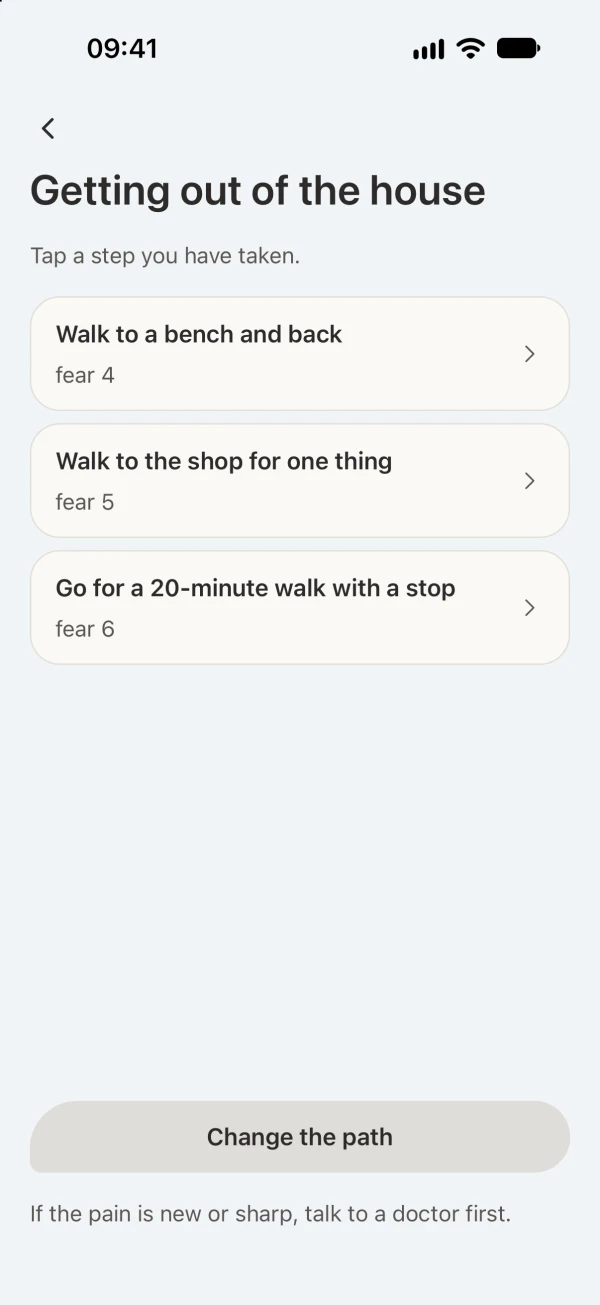
Diary and calendar
See how your days have gone
Logging your pain takes a few seconds: a number from 0 to 10, and where it hurts and what it feels like, if you want.
- At the end of the day: how you slept, what got in the way, what helped. If you skip a day, it stays blank on the calendar.
- In the calendar, each day takes the colour of its pain, so a flare and the days after it are easy to see. Pick a place to see only that pain.
- The diary has no streaks or reminders to log.
Your entries stay on your phone
-
No account
No sign-up, no email, no password. Install it and start.
-
On your phone
We can’t see your entries: they’re never sent to us. If iCloud or Google backup is on, they’re in that backup too.
-
A copy you keep
Save all your entries as a file, for example to move to a new phone.
-
No ads, no analytics
The app shows no ads and collects no analytics, and it works offline.
Where the exercises come from
The exercises draw on pain reprocessing therapy. They aren’t the therapy itself, just a few simple things you can do alone in a minute or two: watch the sensation with curiosity, breathe in for 4 and out for 6, write down what you noticed.
The study behind the method: Ashar Y. K. et al. Effect of Pain Reprocessing Therapy vs Placebo and Usual Care for Patients With Chronic Back Pain. JAMA Psychiatry, 2022.
Questions
What kind of pain is it for?
Back and joint pain, fibromyalgia, vulvodynia and other chronic pain.
Is it free?
Yes, the diary and support during flare-ups are free. Paid extras may come later.
Do I need an account?
No. Install it and start; there is nothing to sign up for.
Where are my entries stored?
On your phone, and in its iCloud or Google backup if that’s on. You can also save a copy as a file, for example to move to a new phone.
Is it a medical app?
No. It’s not a medical device and not a replacement for a doctor.
Is there a paper version?
Yes, a free printable pain diary to fill in by hand: a weekly chart and a page for pain moments, in A4 and US Letter.
What languages is it in?
English and Russian.
Does it work on iPhone and Android?
It’s coming to the App Store and Google Play soon.
Coming to iPhone and Android
No account, and your entries will stay on your phone.
- Coming soon to App Store
- Coming soon to Google Play